

Formatter
A JSON formatter and Markdown viewer for Chrome, with YAML and CSV too.
Open a JSON API response, a README or a Kubernetes manifest in Chrome and you usually get a wall of raw text. With Formatter installed, JSON and YAML show as a searchable, collapsible tree, Markdown renders the way it does on GitHub, and CSV becomes a table you can sort and filter. There is nothing to configure, and your files never leave your browser.
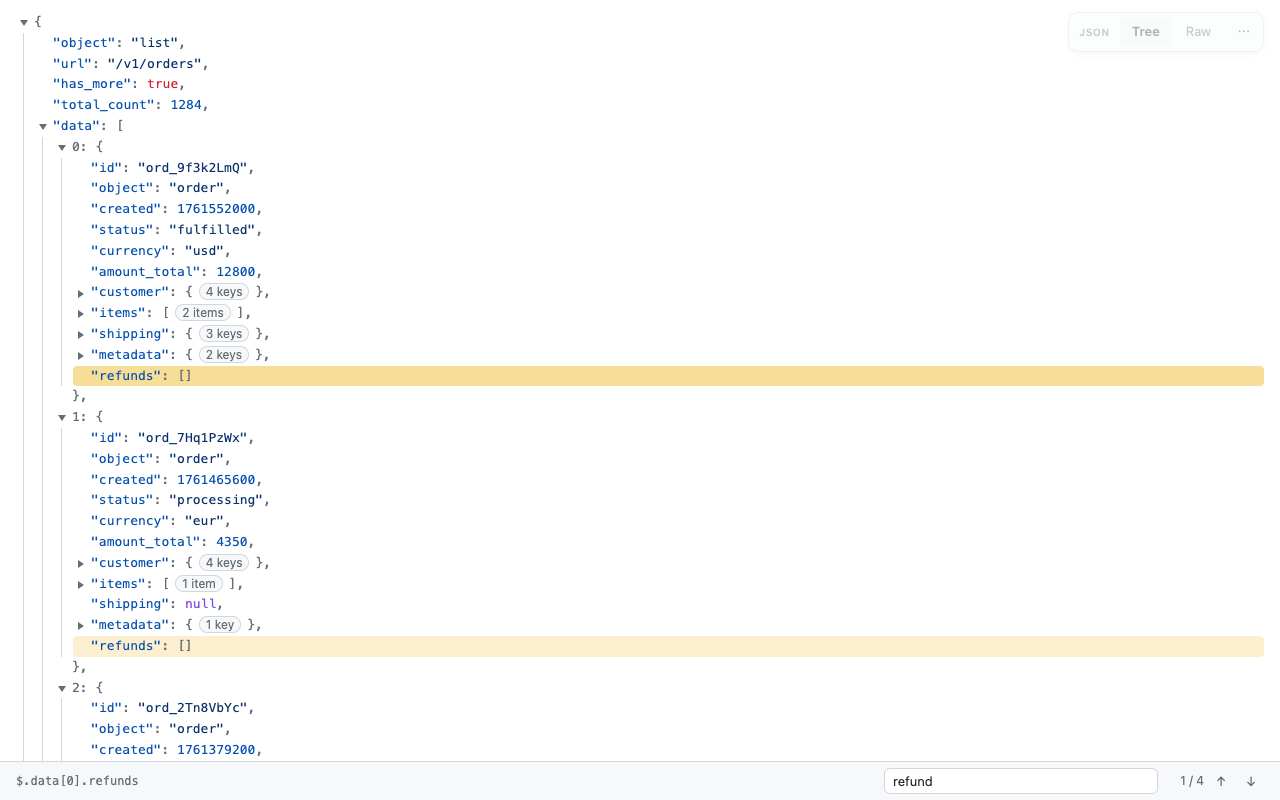
JSON
- Collapsible tree that stays fast on big documents
- Search keys and values with Cmd/Ctrl+F, including collapsed sections
- Click a value to see its path, like $.data[0].customer.email, and copy it
- Copy any node, the whole document formatted, or minified
- Large IDs like 12345678901234567890 stay exact instead of being rounded
Markdown
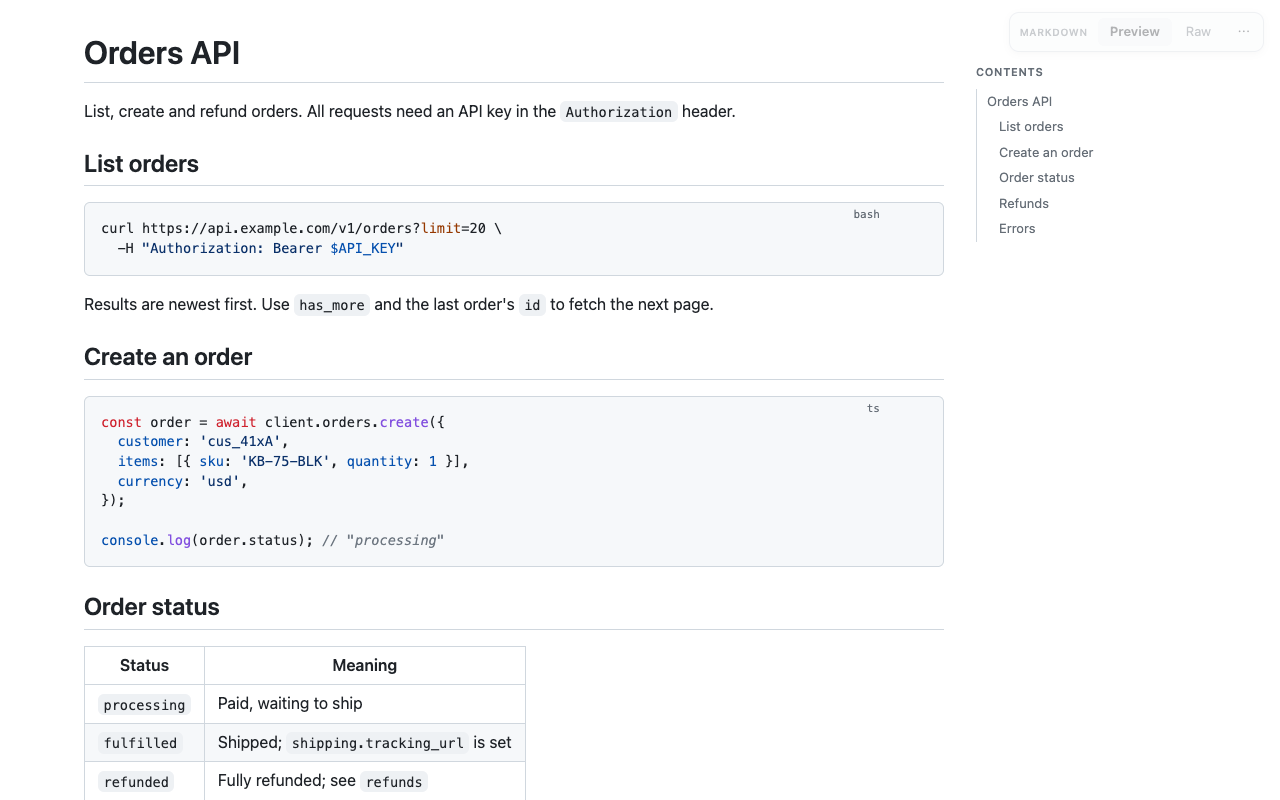
- GitHub-style rendering: tables, task lists, heading links
- Syntax-highlighted code blocks with a copy button
- Table of contents on wide screens; front matter shown separately
- Scripts inside the file never run
YAML
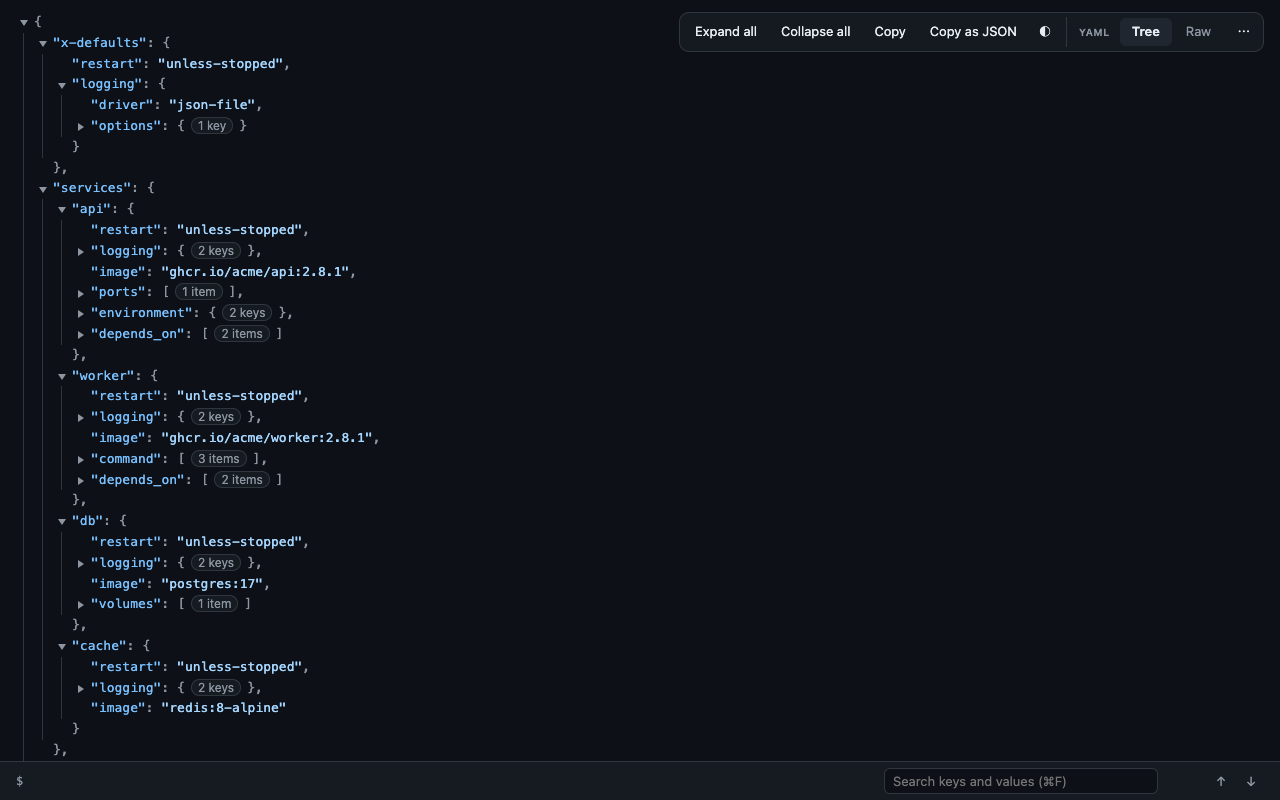
- The same searchable tree as JSON, with paths and per-node copy
- Anchors, aliases and merge keys (<<: *defaults) resolved to real values
- Multi-document files, like Kubernetes manifests, shown document by document
- Copy the whole file as JSON
CSV
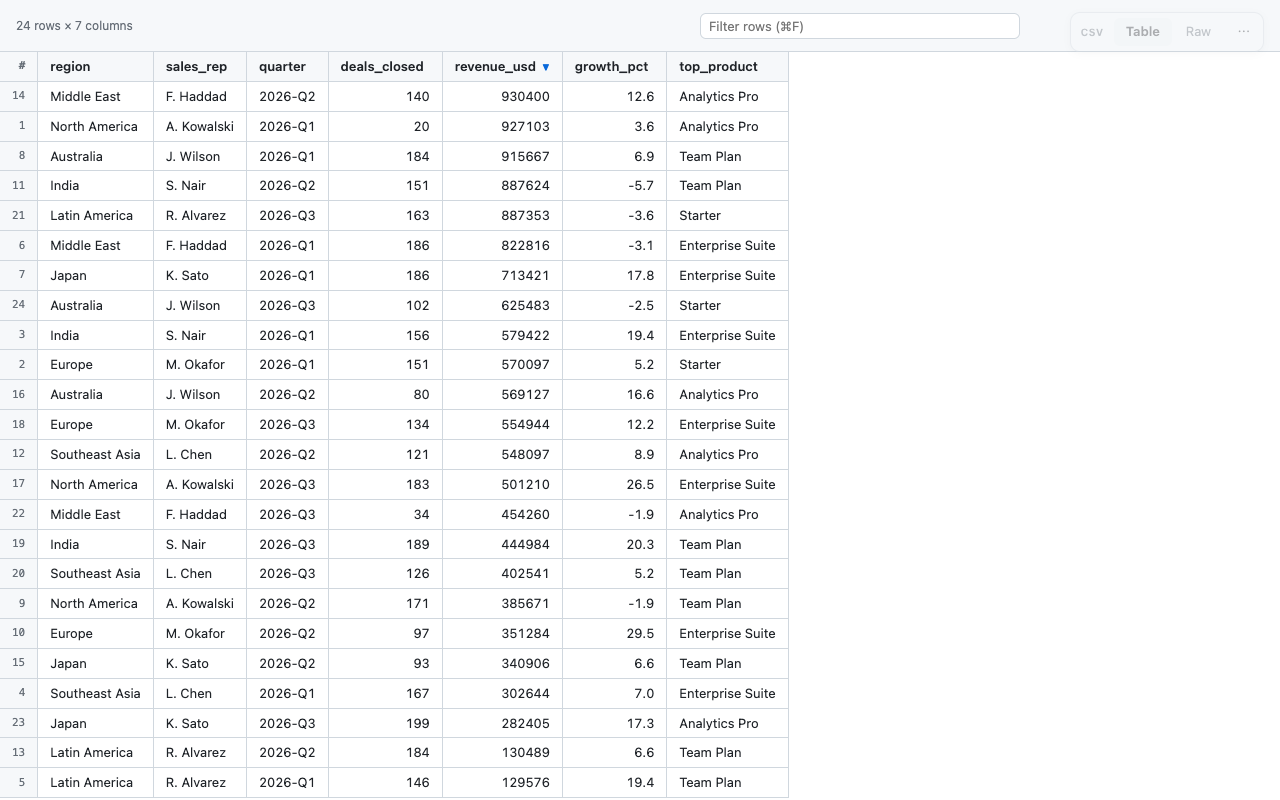
- A clean table with a sticky header and row numbers
- Click a column to sort; numbers sort as numbers
- Filter rows as you type, then copy them as CSV or JSON
- Quoted fields, embedded commas and line breaks handled
Questions
Is Formatter free?
Yes. There is no paid tier, no account, and no ads.
Does it send my files anywhere?
No. Formatter has no servers and makes no network requests. Files are read and displayed inside the browser tab you opened them in, and nothing is stored after you close it.
Does it work with files on my computer?
Yes. For .json and .md files, open the extension’s details in chrome://extensions and turn on “Allow access to file URLs”; after that they open formatted. Chrome downloads local .yaml and .csv files instead of showing them, so for those use “Open a file…” from the toolbar button, or drop the file onto that page. Either way the file is read locally.
Will it change normal web pages?
No. It only acts when Chrome shows a page as a raw text document, like a JSON API response or a .md file on GitHub. You can always switch to the raw view, or restore the original page from the toolbar button.
Which browsers does it support?
Chrome, and Chromium browsers that install extensions from the Chrome Web Store, such as Brave and Edge. Chrome 114 or newer is required.
Read the full privacy policy.